
How to Change Text Case — Upper, Lower, Title and More
By TinyTools Team · · 6 min read
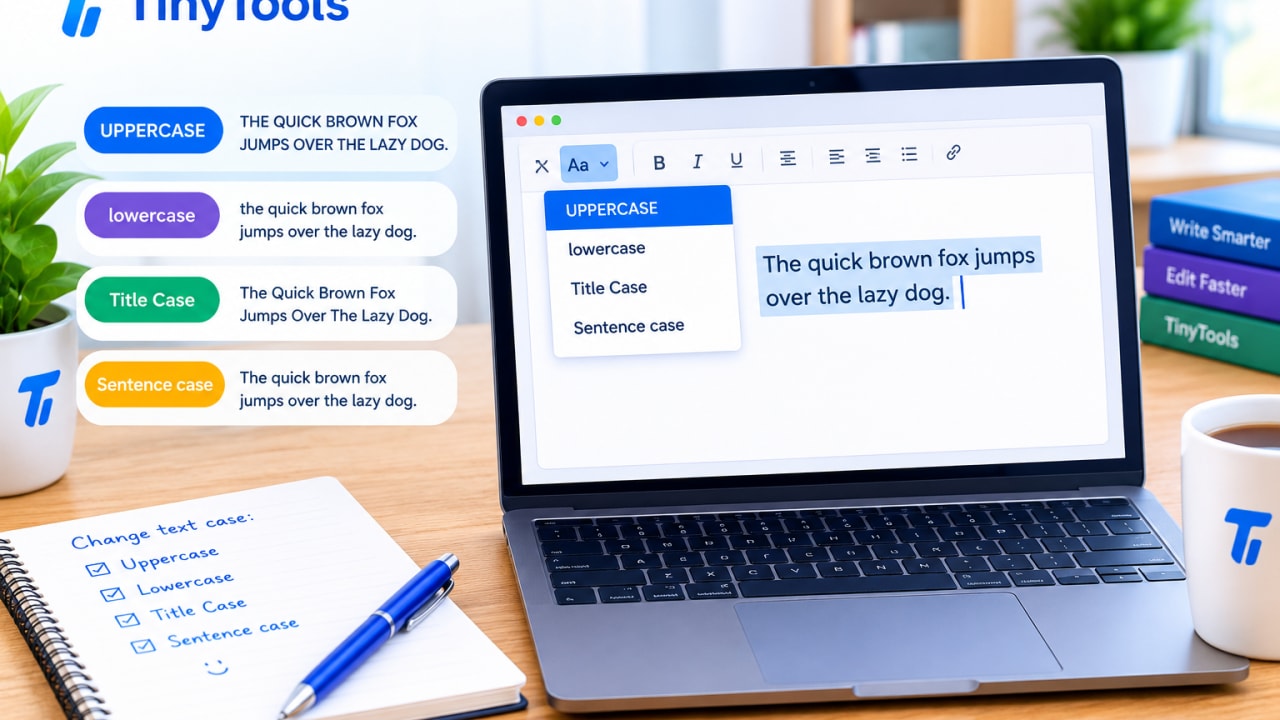
To convert text case, paste your text into a case converter, pick the case you want (UPPERCASE, lowercase, Sentence case, Title Case and so on) and copy the result. It takes seconds, saves you from retyping a paragraph you wrote with Caps Lock on, and works the same on a phone as on a laptop.
This guide explains each case, when to use it, and the small rules that trip people up, such as which words stay lowercase in a title.
Why you might need to convert text case
Case problems are everywhere once you look:
- A paragraph typed with Caps Lock on.
- A product list exported from a spreadsheet in ALL CAPITALS that looks like shouting on your website.
- Headings that need consistent title case across a report or a blog.
- Customer names entered in a mix of lower and upper case.
- Column names that must become
snake_casefor a database, or labels that must becomecamelCasefor code.
Retyping fixes one line. Converting fixes a whole document in one step, without introducing typos.
The text cases explained
UPPERCASE
EVERY LETTER IS A CAPITAL. Useful for short labels, warning signs and some headings. In longer text it reads as shouting and is harder to read, because the shapes of words become uniform blocks.
lowercase
every letter is small. Common for usernames, hashtags, email addresses and some design styles. Rarely right for ordinary sentences, since names and sentence starts lose their capitals.
Sentence case
Only the first letter of each sentence is capitalised. This is how normal writing looks, and it is increasingly the preferred style for headings and buttons because it reads naturally. A good converter capitalises the start of every sentence, not just the first one.
Title Case
Main words are capitalised and short joining words stay small, as in "The Lord of the Rings" or "How to Price Your Products". It is standard for book titles and common in headlines.
camelCase and PascalCase
No spaces; each new word starts with a capital. In camelCase the first word is lowercase (orderTotal), in PascalCase it is capitalised (OrderTotal). Programmers use camelCase for variables in languages such as JavaScript and Java, and PascalCase for class and component names.
snake_case and kebab-case
Words joined by underscores (order_total) or hyphens (order-total), all in lowercase. snake_case is common in Python and database column names; kebab-case is used in web addresses, CSS class names and file names.
How to convert text case with TinyTools
The Case Converter changes your text as you type and keeps everything in your browser.
- Paste your text into the "Your text" box. Anything from a single word to a whole document works.
- Choose a case under "Convert to": Sentence case, Title Case, UPPERCASE, lowercase, camelCase, PascalCase, snake_case or kebab-case.
- Check the result, which updates instantly.
- Copy it to your clipboard, or download it as a text file.
The prose cases (UPPER, lower, Sentence and Title) keep your line breaks and paragraphs exactly as they were. The programming cases turn the whole input into a single identifier, because that is what they are for.
Title case rules that catch people out
Capitalising every word is not quite title case. Compare:
- Every word capitalised: "A Guide To Pricing For Small Businesses In Lagos"
- Title case: "A Guide to Pricing for Small Businesses in Lagos"
In title case, short joining words such as a, an, the, and, of, in, to and for stay lowercase unless they start or end the title. The Case Converter follows this convention.
Style guides disagree on the finer points, such as whether to capitalise longer prepositions like "between" or "about". If you write for a publication, university or company with a style guide, follow it, and use the converter to do the bulk of the work before a final check.
Names and abbreviations
Automatic conversion cannot know that "NNPC", "iPhone" or "McDonald" have special capitals. After converting to Sentence or Title case, scan for:
- Abbreviations and acronyms, which may have been lowercased.
- Brand names with unusual capitals.
- People's and place names in the middle of sentences, which sentence case will lowercase.
This takes a few seconds and is still far faster than retyping.
Worked examples
Fixing a Caps Lock paragraph
Input:
THANK YOU FOR YOUR ORDER. YOUR PARCEL WILL BE DISPATCHED ON MONDAY. PLEASE KEEP YOUR RECEIPT.
Sentence case output:
Thank you for your order. Your parcel will be dispatched on monday. Please keep your receipt.
Notice "monday" has been lowercased, because the converter cannot know it is a proper noun. Fix that one word by hand and you are done.
Tidying product names for a website
Input: ANKARA TOTE BAG - LARGE SIZE
Title Case output: Ankara Tote Bag - Large Size
Preparing a database column name
Input: Customer Phone Number
snake_case output: customer_phone_number
camelCase output: customerPhoneNumber
Tips
- Use sentence case for buttons and short headings. It reads more naturally and avoids debates about which words to capitalise.
- Be consistent. Pick one heading style for a document or website and stick to it.
- Check length after converting. Case does not change the character count, but if you are tidying a caption or meta description, check it against the limit with the Character Counter. Our guide to social media character limits explains why.
- Compare before and after on important documents. If you converted part of a contract or a long report, paste both versions into Text Diff with "Ignore case" turned off to confirm only capitals changed.
- Count words separately. If you are working to an essay or form limit, use the Word Counter.
Common mistakes
- Using UPPERCASE for emphasis in long text. Bold or a short heading works better and is easier to read.
- Trusting title case blindly. Always check names, acronyms and brand names.
- Converting code with spaces into camelCase and expecting multiple lines. The programming cases produce one identifier; convert labels one at a time if you need a list.
- Mixing styles across headings. Half Title Case and half Sentence case looks careless in a report or on a website.
Frequently asked questions
How do I change uppercase to lowercase without retyping?
Paste the text into the Case Converter and choose lowercase, or Sentence case if you want normal sentences with capitals at the start. Then copy the result.
What is the difference between title case and sentence case?
Title case capitalises the main words of a heading. Sentence case capitalises only the first word of each sentence, plus any names, which you may need to fix by hand after converting.
Does sentence case capitalise every sentence?
Yes. The converter lowercases the text, then capitalises the first letter after every full stop, question mark or exclamation mark.
Will the converter keep my paragraphs?
Yes for UPPERCASE, lowercase, Sentence case and Title Case. The programming cases, such as camelCase and snake_case, join the text into a single identifier.
Is my text uploaded anywhere?
- The conversion runs in your browser, so there is no upload and no size limit imposed by a server.
Next time Caps Lock catches you out, paste the text into the free Case Converter and fix it in one click.
Every tool here is free
51 tools for PDFs, images and video, all running in your browser. Create a free account to keep your recent tools on every device.
Keep reading
 MobileHow to Edit Documents on Your Phone (PDFs and Images)How to edit documents on your phone without extra apps. Turn photos into PDFs, shrink, rotate and merge files, and resize images in your mobile browser.19 October 2026 · 6 min read
 ProductivityHow to Compare Two Texts and Find the DifferencesCompare two texts online and see every added or removed line highlighted. Check contracts, CVs, essays and config files privately in your browser.5 October 2026 · 6 min read
 PDFConvert Word to PDF Without Microsoft OfficeConvert Word to PDF without Microsoft Office, free in your browser. Keeps headings, lists, tables and images, with honest notes on fonts and .doc files.19 October 2026 · 6 min read